Testing a web app by hand takes time. You have to open every page, click through it, try the odd inputs, and note what breaks. It is slow work, and it is easy to miss things. Explorbot does it for you.
What is Explorbot and How It Works
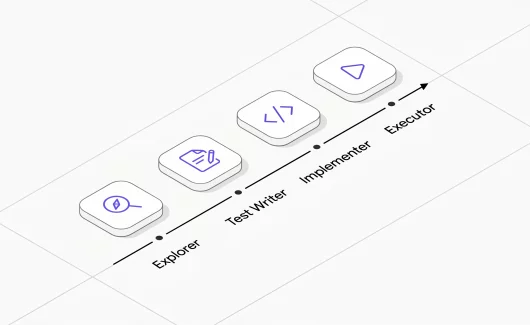
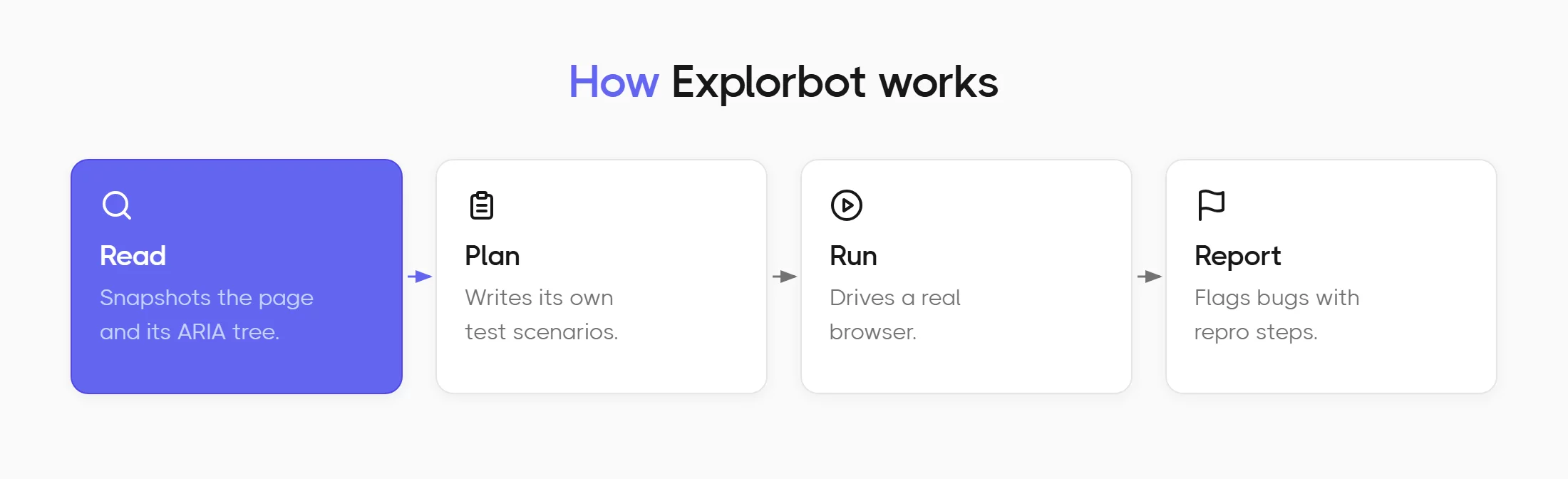
Explorbot is an open-source QA agent that runs automated exploratory testing on web applications. You point it at a URL, it reads the page and works out what the application does. It writes its own scenarios and runs them in a real browser. When something breaks, it reports the problem with steps to reproduce.
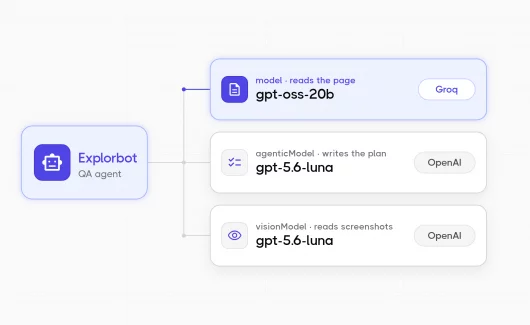
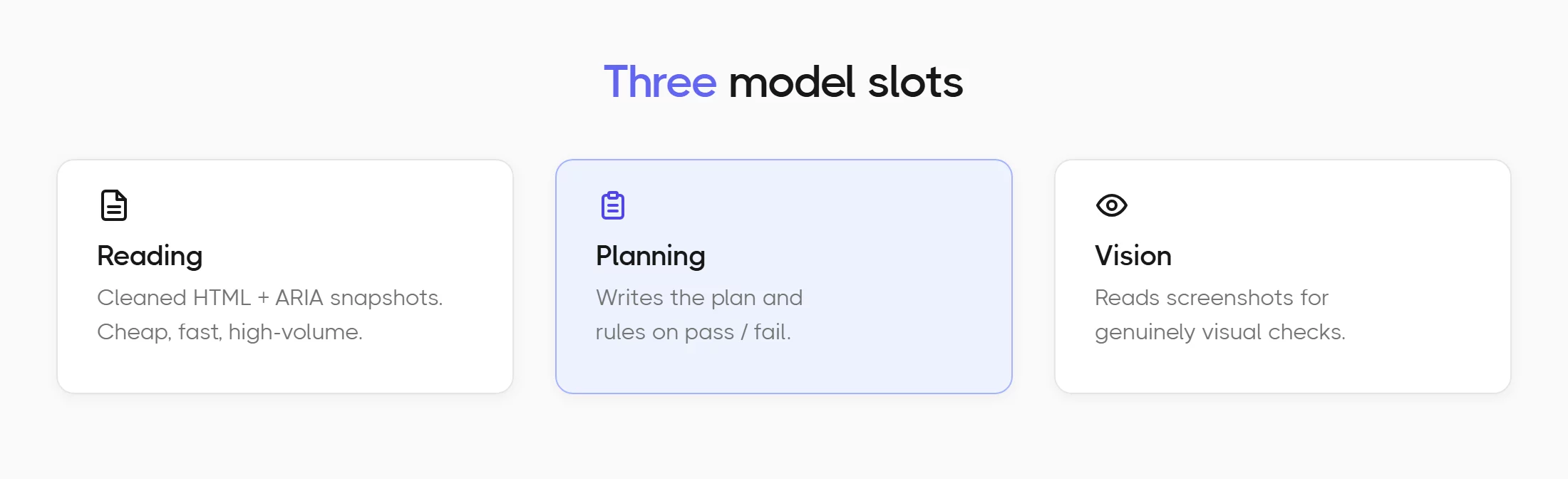
Explorbot uses AI with three model slots. The jobs have different shapes, so the models do too.
- The
modelslot reads pages. Every step sends it a snapshot of cleaned HTML and an ARIA tree. One page is five to twenty thousand tokens. A session pushes hundreds of thousands through this slot. It has to be cheap and fast. - The
agenticModelslot decides. It writes the test plan. It supervises execution and rules on whether a scenario passed. It never sees raw HTML, only a short summary and the last few actions. Volume is low, so quality matters more than price. - The
visionModelslot reads screenshots. Explorbot calls it for genuinely visual checks. Volume is low here too.
The config we run:
ai: {
  model: groq('openai/gpt-oss-20b'),
  agenticModel: openai('gpt-5.6-luna'),
  visionModel: openai('gpt-5.6-luna'),
}
As a main executor, we choose gpt-oss-20b. OpenAI published those weights under Apache 2.0 in August 2025 and Groq serves them at around 1000 tokens per second. That’s quite fast! Input costs $0.075 per million. A full session costs a few cents.
We are happy with that setup. Groq is fast, and the model is cheap, a big part of what makes Explorbot so fast. Tokenmaxxing is not our goal, we want efficient models and we think small smart models, to scan such haystack as a webpage is quite enough. So we needed the model that is not too smart and too agentic. Navigating the page is just making clicks and form inputs. No real brainstorming needed. While gpt-oss-20b worked well, we keep looking for an alternative.
Let’s look at the downsides: gpt-oss-20b is a year old now. Its weak spot is tool-call stability. Like most QA agent tools, Explorbot drives the browser entirely through tool calls. Every click and field fill is the model picking a function and filling in arguments. It hallucinates, inventing locators that do not exist. It repeats calls that already failed. A good share of our code is recovery machinery built around that. Nothing cheap has replaced it in a year. So we test what shows up. That’s how we discovered Poolside, looking for a Groq/gpt-oss alternative.
Poolside is an AI company building open-weight foundation models for coding. They publish weights on Hugging Face. They write openly about how they train and evaluate. They also serve the models themselves through an OpenAI-compatible API. Three things made them worth to check:
- The models are trained for agentic coding, which is the behaviour we most want improved.
- They are priced below what we pay now.
- Their endpoint is currently free.
The Two Poolside AI models
Poolside serves two models in the Laguna family. They are laguna-xs-2.1 and laguna-s-2.1. Here is how they compare:
| laguna-xs-2.1 | laguna-s-2.1 | |
|---|---|---|
| Parameters | 33B total, 3B active | 118B total, 8B active |
| Context | 256K | 1M |
| Input types | text only | text only |
| Their positioning | “lightest and fastest”, runs on-device | “frontier-class reasoning at mid-size cost” |
Neither model accepts images, so Poolside cannot serve the screenshot slot. Any setup using it needs a second provider regardless.
Prices, as of August 2026, from OpenRouter and Groq’s model docs. Cached input matters here, because Explorbot re-sends the same page context constantly:
| input / 1M | output / 1M | cached input / 1M | |
|---|---|---|---|
| Poolside direct endpoint | free | free | free |
| laguna-xs via OpenRouter | $0.06 | $0.12 | $0.03 |
| laguna-s via OpenRouter | $0.09 | $0.18 | $0.009 |
| gpt-oss-20b on Groq | $0.075 | $0.30 | $0.0375 |
Poolside’s own endpoint is free for a limited time. No end date is published, and their API documentation sits behind an access code, so we could not check rate limits or whether prompts are retained. Treat that as unknown before you point it at anything private. Even at OpenRouter’s paid rates, laguna-xs costs less than Groq on both sides. Our plan was the obvious one. Put the small fast model on page reading, and the big reasoning model on planning.
What We Ran
Every candidate got the same job. We pointed Explorbot at the sign-in page of a local Testomat.io instance and capped it at two tests:
explorbot explore /users/sign_in --max-tests 2
Only the model slots changed between runs. In the laguna-xs run, Explorbot researched the page and wrote its own seven-scenario plan, titled “User Authentication Form Validation and Error Handling”:
1. [important] Successful Sign In with Valid Credentials
2. [important] Sign In Failure with Invalid Password
3. [high]      Sign In Failure with Invalid Email Address
4. [high]      Sign In Validation with Empty Email Field
5. [high]      Sign In Validation with Empty Password Field
6. [normal]    Remember Me Checkbox State Toggle
7. [low]       Sign Out and Re-authentication Flow
It executed the top two. A passing run fills the form, submits it, and proves where it landed:
I.fillField({ role: 'textbox', text: 'name@email.com' }, 'davert@testomat.io')
I.fillField({ role: 'textbox', text: '********' }, '<password>')
I.click('#new_user input[type="submit"]')
I.seeInTitle('Dashboard - Testomat.io')
I.see('Signed in successfully', '.common-flash-success')
That is the bar. Write the plan, drive the browser, assert the outcome.
Laguna-s Has No Seat in This Pipeline
The pairing we wanted failed completely on its first run.
| reading slot / planning slot | Result |
|---|---|
| laguna-xs / laguna-s | No plan produced, zero tests ran |
| laguna-xs / laguna-xs | 2 of 2 scenarios executed and passed |
| laguna-s / laguna-xs | Plan written, both tests failed on timeouts |
We skipped laguna-s on both slots, since it had already failed each one separately.
Explorbot asks the planning model for JSON matching a fixed schema. laguna-s replies with a markdown report:
Here are 3 comprehensive test scenarios for the sign-in page:

## Scenario 1: Successful Login
**Objective:** Verify valid users can log in successfully
A human would call that a good answer. A QA agent cannot execute it. Across three different schemas and both routes, laguna-s produced twenty-one replies and none of them was valid JSON.
Poolside accepts the json_schema parameter and returns HTTP 200, but its serving layer does no constrained decoding. Compliance therefore rests entirely on the model’s instruction following. laguna-xs follows the instruction most of the time. laguna-s does not follow it at all.
OpenAI-compatible means the request shape matches. It says nothing about whether the schema is honoured. Test the planning slot before you trust it.
We tried the obvious escape routes. Plain JSON mode works at the raw API level, but @ai-sdk/openai v4 always sends a schema when one is present and offers no way to fall back to it. Asking for the object through a tool call does work, though rebuilding Explorbot’s planning around a provider quirk was not a trade we wanted.
Reversing the pairing did not rescue laguna-s either. In the reading slot it was too slow for page-sized prompts. It spent eight minutes hitting Explorbot’s request timeouts and failed both tests.
Laguna-xs Does the Whole Job
The smaller model is the interesting one. Given both slots, laguna-xs planned the suite, drove the browser, signed in, and asserted the result. Two scenarios out of two, in five and a half minutes. That is a different configuration from the benchmark below, which puts laguna-xs on reading only and takes 6m44s. Run-to-run spread on this agent is real, which is the caveat the cost section returns to.
It also produced a finding we had not seen before. The sign-in submit button could not be clicked through any standard locator. Explorbot confirmed the element was present and visible, failed three separate click strategies against it, then fell back to clicking its coordinates and got through. Something on that page intercepts pointer events. Explorbot recorded it as a testability problem with the reproduction steps attached, which is precisely the job.
What a QA Agent Session Costs
For the cost comparison, we held planning and screenshots on gpt-5.6-luna for both runs and changed only the reading model. Both sessions executed two scenarios against the same page.
| laguna-xs | gpt-oss-20b on Groq | |
|---|---|---|
| Calls | 68 | 22 |
| Input tokens | 863,308 | 226,014 |
| Output tokens | 29,302 | 8,084 |
| Cache hit | 73% | 22% |
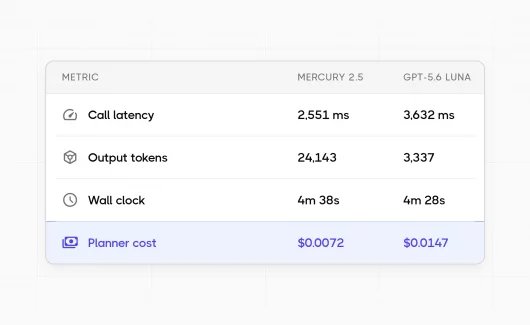
| Average latency per call | 3,606 ms | 1,158 ms |
| Wall clock | 6m44s | 1m54s |
| Reading-slot cost | $0.0365 | $0.0175 |
| Session cost including planning and vision | $0.0424 | $0.0219 |
Both dollar rows use the rates in the pricing table above, cached input billed at the cached rate. laguna-xs is priced at OpenRouter’s rates, since Poolside’s own endpoint would make that column $0 today. Groq discounts cached input to half price, which is why its 22% hit rate still matters. laguna-xs is cheaper per token and more expensive per session. It needed three times the calls and 3.8 times the input to cover the same ground, and each call took three times longer to come back. The latency figure is the one we trust most. It is an average over 68 and 22 calls, and it does not depend on which path the agent happened to take. Groq’s premium buys exactly what it claims to buy.
One caveat on the rest:
Explorbot invents its own plan every run, so two sessions never walk an identical path. The token and cost columns carry that variance, and we would not defend the exact multiplier from a single pair of runs. The direction was consistent across every run we did.
Bottom Line
Poolside AI is a real option for this workload, with a narrower fit than we hoped. Two text-only models trained for coding, priced under most of the market, answering in about three and a half seconds per call. That is quick enough to run a QA AI agent on and slower than Groq. You can reach them through Poolside’s own platform, where they are free for now, or through OpenRouter at $0.06 in and $0.12 out for laguna-xs. Here is what we ended up with:
- laguna-s is out. It cannot return structured JSON, so it cannot write a test plan. It is too slow to read pages. There is no slot in Explorbot where it earns its place, and its 1M context window does not change that.
- laguna-xs works. It reads pages reliably, calls tools correctly, and it ran a full session end to end on its own. We have added Poolside to Explorbot’s recommended providers for the
modelslot, on laguna-xs. If the unknown retention policy matters to you, the OpenRouter route avoids the question. - gpt-oss-20b on Groq stays our default. Cheaper tokens did not produce a cheaper session. Groq answers in a third of the time, needs a third of the calls, and finishes the same work in under two minutes against nearly seven. For a tool meant to run for hours, that gap compounds. The tool-call stability we hoped a coding model would fix was not the thing that decided it.
A price list is a rate. What you pay is that rate multiplied by how many tokens the model needs to finish the job, and agents make that multiplier large. That last point cuts the other way if your rate is zero. If you are new to Explorbot and not paying per token yet, put laguna-xs on the reading slot and run it free while the offer lasts. Sign up at the Poolside platform for the direct endpoint, or use poolside/laguna-xs-2.1 on OpenRouter if you would rather not manage another key. Sessions take longer than they would on Groq, and they cost nothing.
Try It
npm i explorbot
npx explorbot init
import { createOpenAI } from '@ai-sdk/openai';

const poolside = createOpenAI({
  apiKey: process.env.POOLSIDE_API_KEY,
  baseURL: 'https://inference.poolside.ai/v1',
});
const openai = createOpenAI({ apiKey: process.env.OPENAI_API_KEY });

ai: {
  model: poolside.chat('poolside/laguna-xs-2.1'),
  agenticModel: openai('gpt-5.6-luna'),
  visionModel: openai('gpt-5.6-luna'),
}
gpt-5.6-luna is the model we held constant on planning and screenshots through the benchmark, so this is the configuration those numbers describe. We ran it through OpenRouter; going straight to OpenAI is one less key and the same model. Luna suits these two slots well. It takes images, so it covers the screenshot slot, and OpenAI cut GPT-5.6 pricing at the end of July 2026, with Luna reduced by up to 80%. Both slots are low volume anyway, so this is the cheap half of the bill either way.
The Explorbot AI agent is built by the Testomat.io team. Learn more on the Explorbot page or find the source on GitHub. If you run this against a provider we have not tried, tell us what you measured. And if you are curious about AI features for your project, take a look at what Testomat.io offers.